> For the complete documentation index, see [llms.txt](https://docs.cloudcyte.com/llms.txt). Markdown versions of documentation pages are available by appending `.md` to page URLs; this page is available as [Markdown](https://docs.cloudcyte.com/getting-started/grc-management/risk-and-opportunity-management.md).
# Risk and Opportunity Management
## Risk Registry
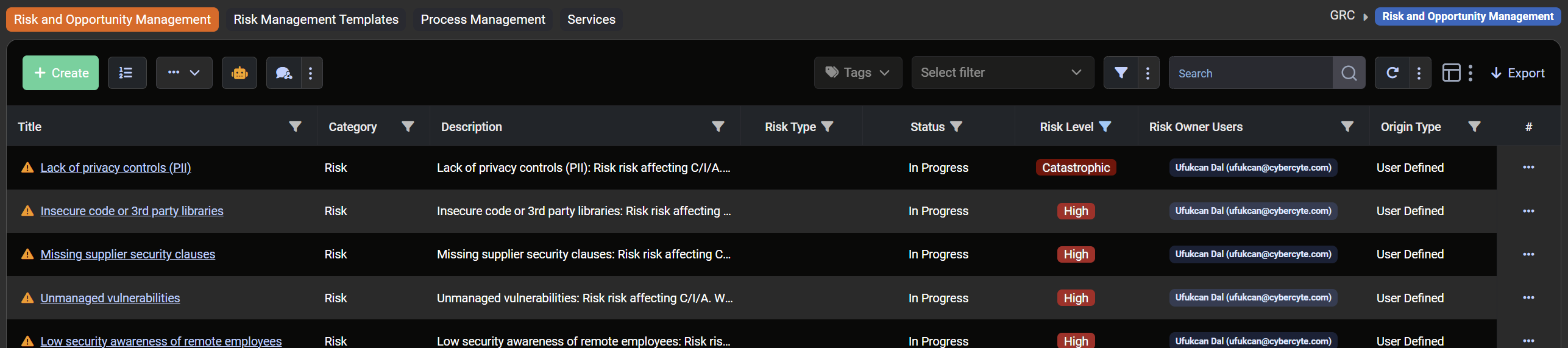
* Navigate to **GRC / Risk and Opportunity Management** and open the **Risk Registry**.
* Initially, system-assigned risk registry items for related control items are displayed.
* Click the **Title** of a risk to edit details.
* **Basic Parameters** for a risk include:
* **Title**: Non-editable.
* **Category**: Risk or Opportunity.
* **Status**: Open / Planned / In Progress / Rejected / Accepted / Completed / Completed & Verified.
* **Description**: Risk description.
* **Risk Type**: Internal, Third-Party, Compliance, Reputational, Technology, Operational, Strategic, Financial.
* **Risk Owner Users / Groups**: Assign responsible users or groups.
* **Other Assets**: Select Non-IT assets or create new ones via **GRC / Asset & Document Management**.
* **Max Impact Assets**, **Risk Level**, **Likelihood**, **Impact**, **Confidentiality**, **Integrity**, **Availability**, **Residual Risk Level**, **Residual Risk Likelihood**, **Residual Risk Impact**, **Risk Treatment Option**, **Risk Treatment Type**, **Risk Treatment Description**, **Risk Controls**.
**Note:** If predefined parameters are insufficient, they can be extended in **Evidence & Parameter Management**.
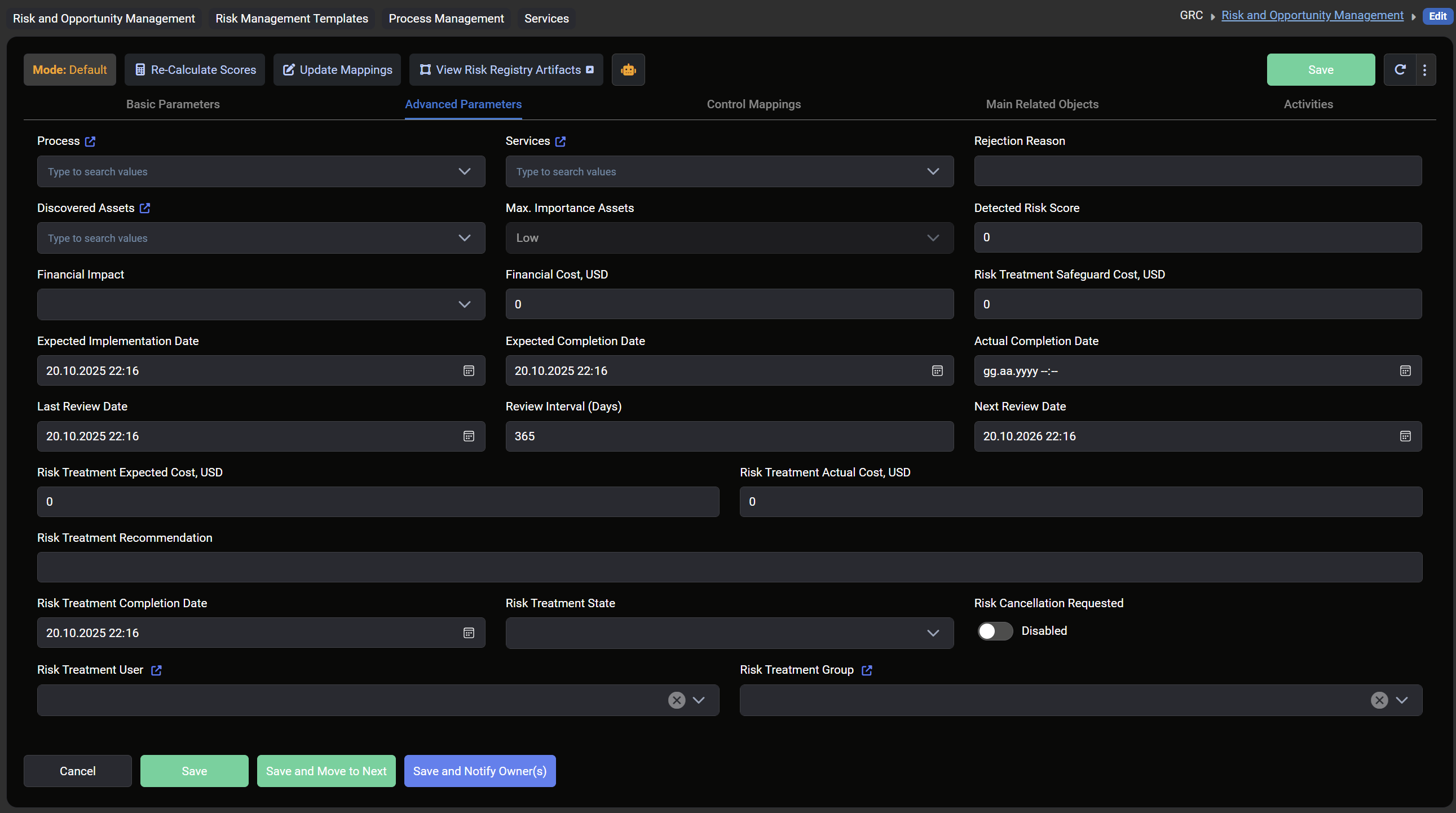
## Advanced Parameters
* Process and Services can be selected or newly created.
* Rejection Reason, Discovered Assets, Max Importance Assets, and Detected Risk Score can be managed.
* Financial Impact / Cost, Expected / Actual Completion Dates, Review Dates, Risk Treatment State, and assignments to users and groups can also be configured.
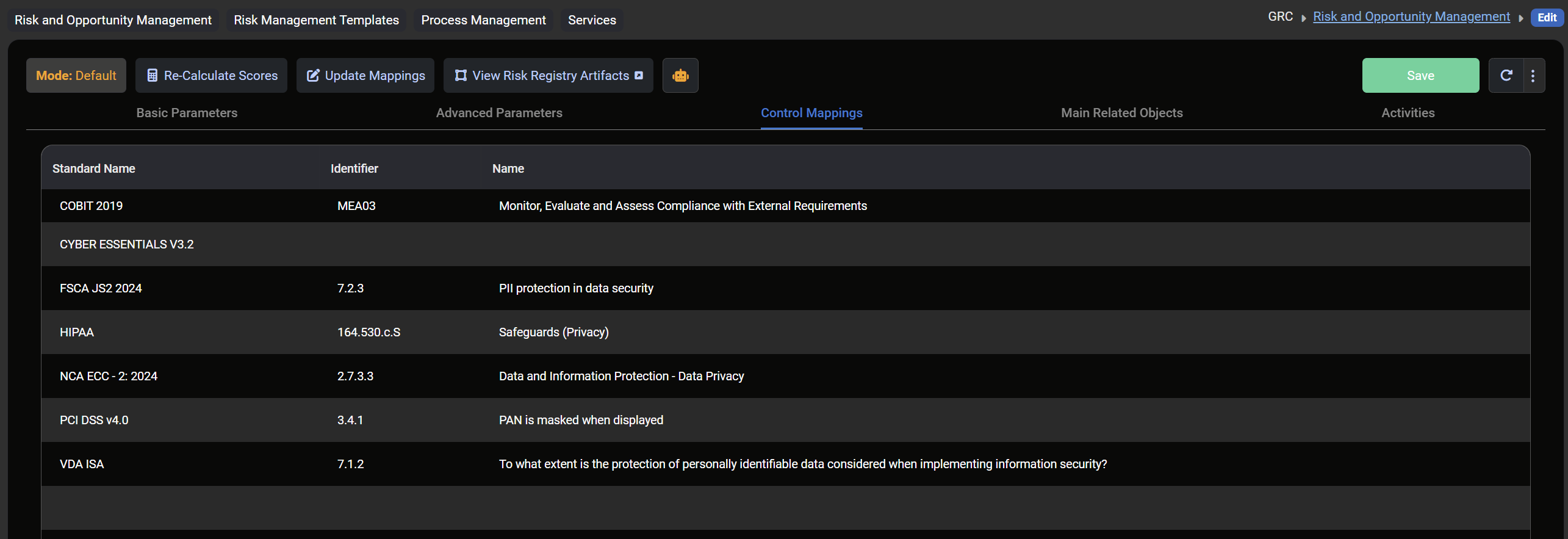
## Control Mappings
* Map risks to standards, incidents, classification rules, notable events, ToDos, evidences, documents, document templates, and control activities.
## Activities
* Add activities via **Add Activity**.
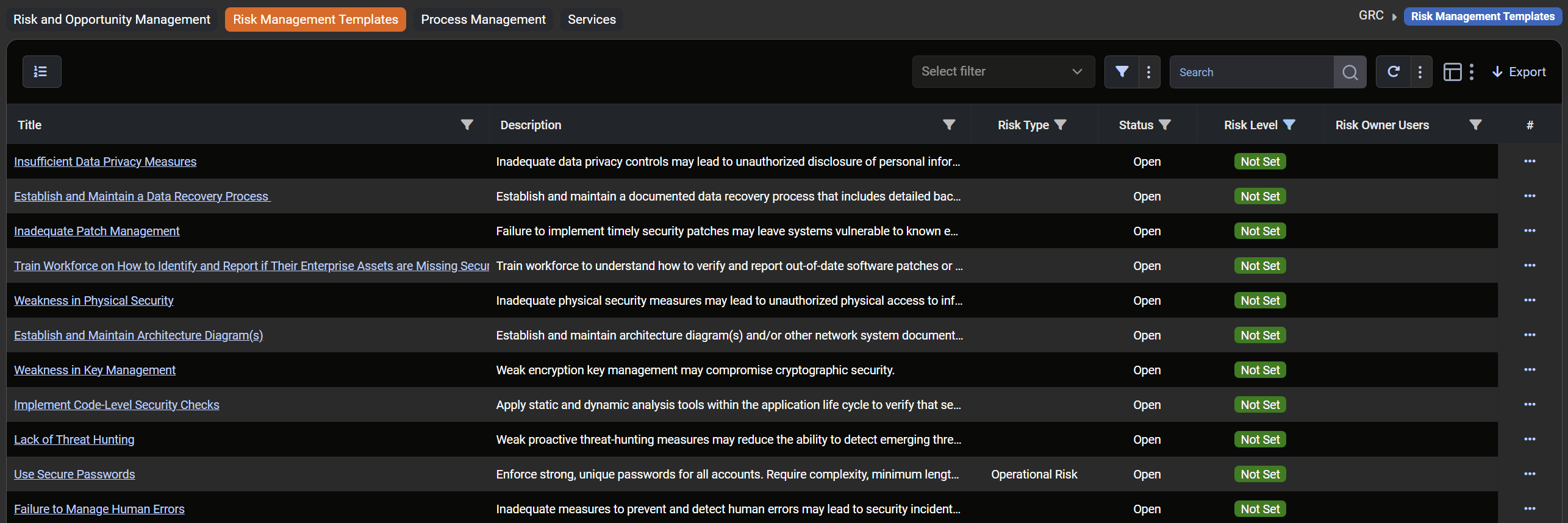
## Risk Management Templates
* System-assigned risk items not linked to control items are displayed here.
* Use the three-dot menu → **Create Risk Registry Item** to create a new risk registry item.
## Process Management
* View or edit existing processes.
* Create new processes with Name, Description, Status (Active / Inactive), Owner Users, and Owner Groups.
## Services Management
* View or edit existing services.
* Create new services with Name, Description, Owner Users, Owner Groups, Process, Value / Currency, and Related Assets.